> ## Documentation Index
> Fetch the complete documentation index at: https://docs.docketqa.com/llms.txt
> Use this file to discover all available pages before exploring further.
# Bulk Create
> Import existing test cases from documents to create multiple tests at once
### Bulk Create
Bulk create lets you import existing test cases from a document and create multiple Docket tests in a single operation. This is ideal for migrating test cases from spreadsheets, test management tools, or written documentation.
***
### Getting Started
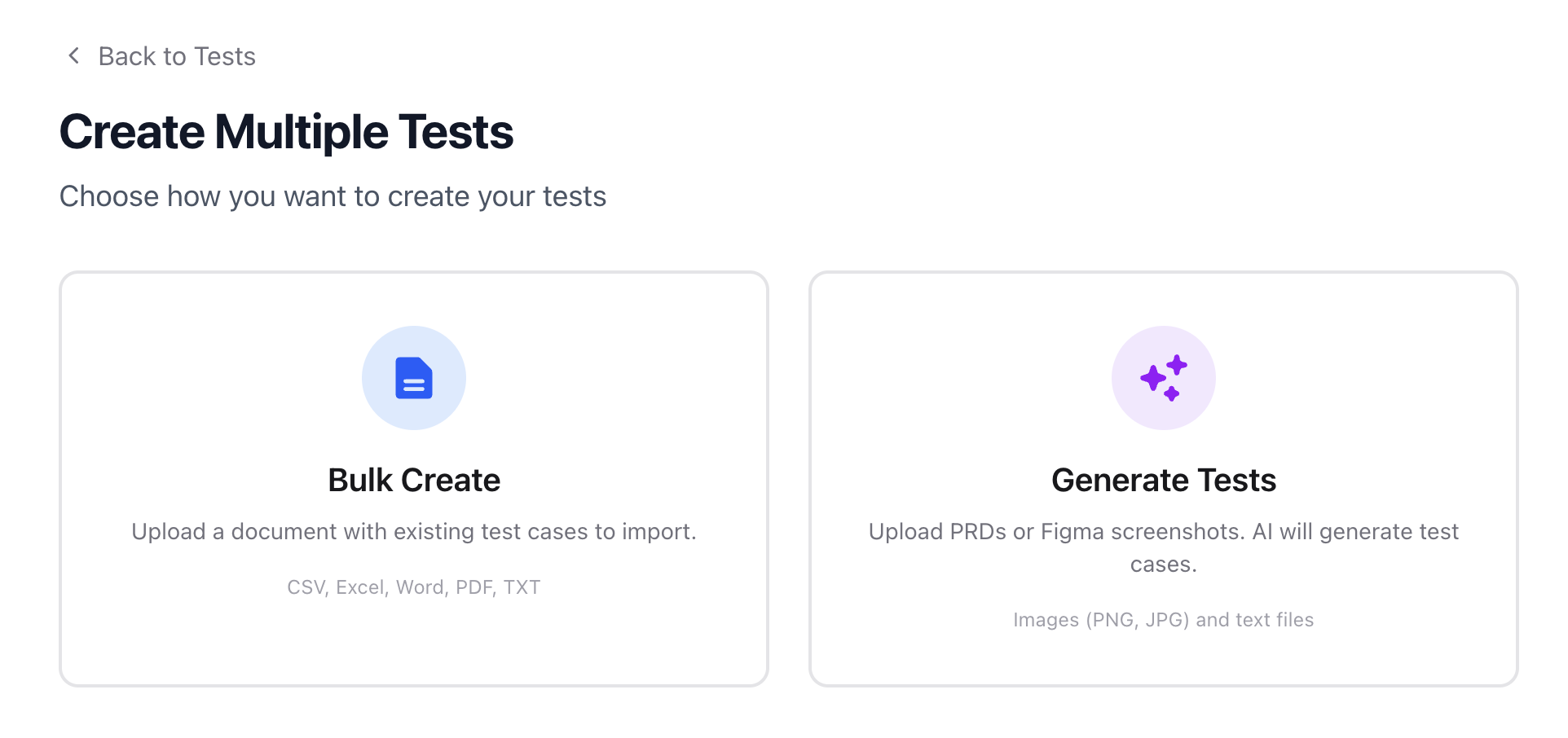
Navigate to the Tests tab and click **Create Multiple Tests**. You'll see two options:
1. **Bulk Create** — Import test cases from an existing document
2. **[Generate Tests](/essentials/generate-tests)** — Use AI to generate test cases from PRDs or screenshots
Select **Bulk Create** to proceed.
 ***
### Uploading a Document
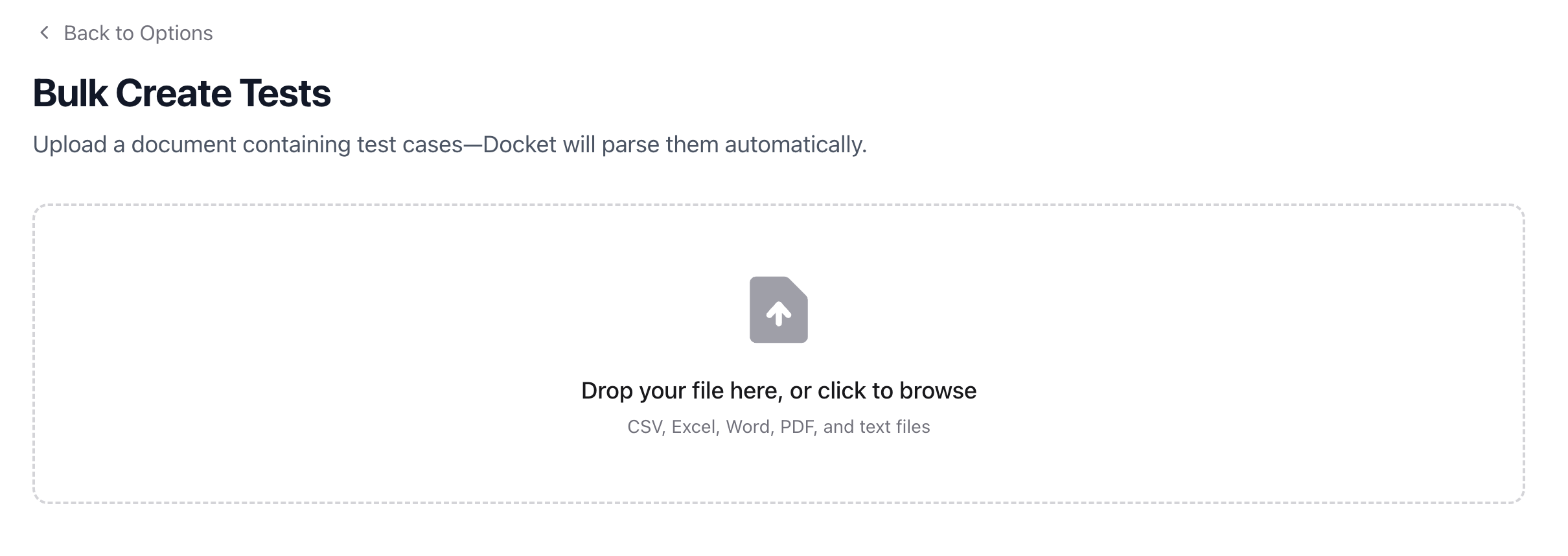
Drag and drop your file or click to browse. Docket parses the document and extracts individual test cases automatically.
**Supported formats:** CSV, Excel (`.xls`, `.xlsx`), Word (`.doc`, `.docx`), PDF, TXT, RTF
***
### Uploading a Document
Drag and drop your file or click to browse. Docket parses the document and extracts individual test cases automatically.
**Supported formats:** CSV, Excel (`.xls`, `.xlsx`), Word (`.doc`, `.docx`), PDF, TXT, RTF
 After upload, Docket runs a two-stage process:
1. **Upload** — Your file is uploaded and queued for processing
2. **Format & Parse** — Docket extracts and structures the test cases from your document
***
### Reviewing Parsed Tests
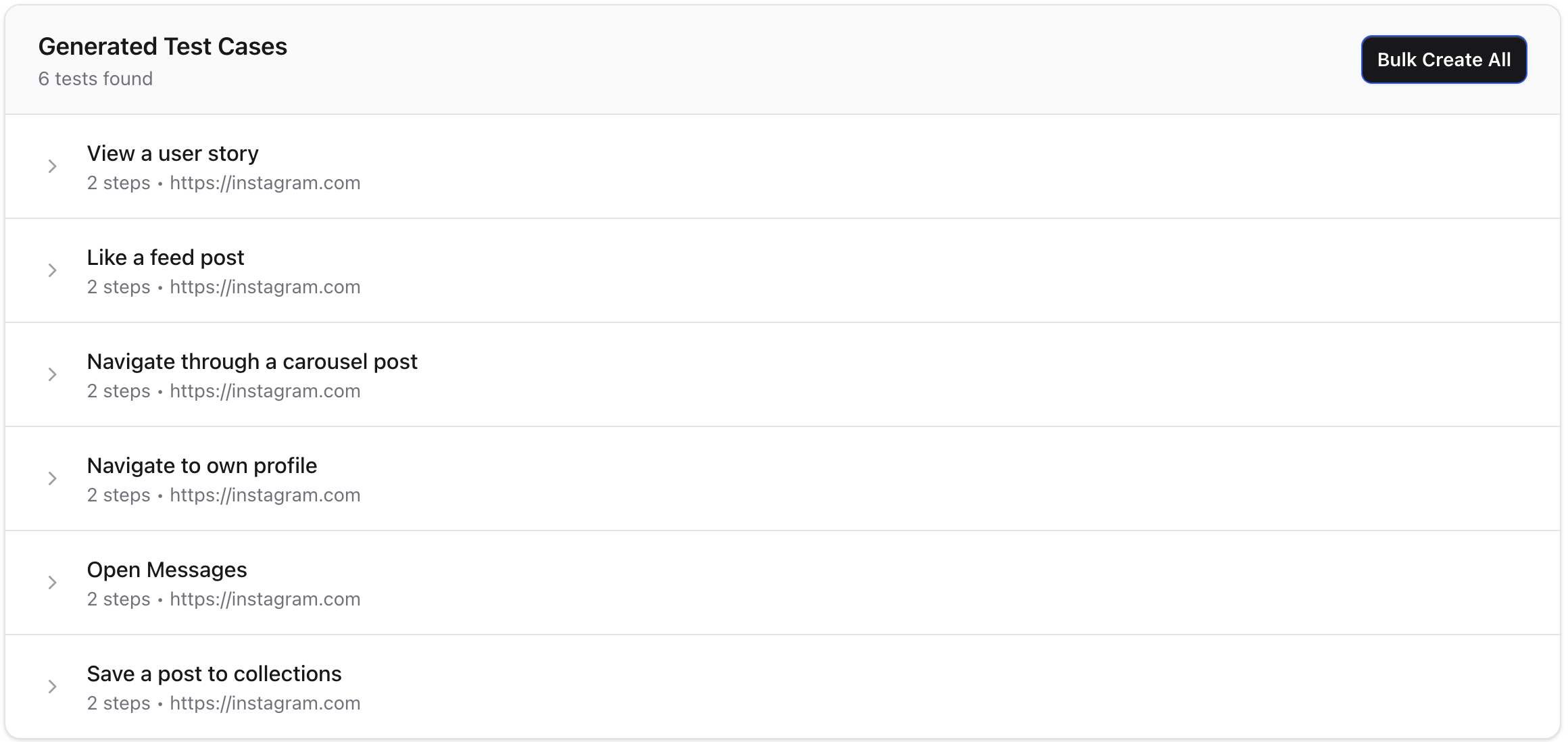
Once parsing completes, you'll see a list of extracted test cases. Each test case shows its title and steps, and can be expanded for review.
After upload, Docket runs a two-stage process:
1. **Upload** — Your file is uploaded and queued for processing
2. **Format & Parse** — Docket extracts and structures the test cases from your document
***
### Reviewing Parsed Tests
Once parsing completes, you'll see a list of extracted test cases. Each test case shows its title and steps, and can be expanded for review.
 From here you can:
* **Bulk Create All** — Create all parsed tests at once with shared settings (test suite, viewport, browser zoom)
* **Create Test** — Create an individual test case and open it in the editor for fine-tuning
* **Upload Another File** — Start over with a different document
When bulk creating, all tests are created as drafts in the [folder](/essentials/folders) you were viewing when you started the process.
***
### Best Practices
* **Structure your source document clearly** — Use consistent formatting with distinct test titles and numbered steps for best parsing results
* **Review before creating** — Skim the parsed output to catch any misinterpretations before bulk creating
* **Use CSV for structured data** — CSV files with columns for test name, steps, and URL tend to parse most reliably
* **Organize first** — Navigate to the desired [folder](/essentials/folders) before starting a bulk create to keep your tests organized
From here you can:
* **Bulk Create All** — Create all parsed tests at once with shared settings (test suite, viewport, browser zoom)
* **Create Test** — Create an individual test case and open it in the editor for fine-tuning
* **Upload Another File** — Start over with a different document
When bulk creating, all tests are created as drafts in the [folder](/essentials/folders) you were viewing when you started the process.
***
### Best Practices
* **Structure your source document clearly** — Use consistent formatting with distinct test titles and numbered steps for best parsing results
* **Review before creating** — Skim the parsed output to catch any misinterpretations before bulk creating
* **Use CSV for structured data** — CSV files with columns for test name, steps, and URL tend to parse most reliably
* **Organize first** — Navigate to the desired [folder](/essentials/folders) before starting a bulk create to keep your tests organized