> ## Documentation Index
> Fetch the complete documentation index at: https://docs.docketqa.com/llms.txt
> Use this file to discover all available pages before exploring further.
# Files
> Uploading files and reading file content into agent context
### Uploading Files
You can click the Files tab to upload and manage files for your test.
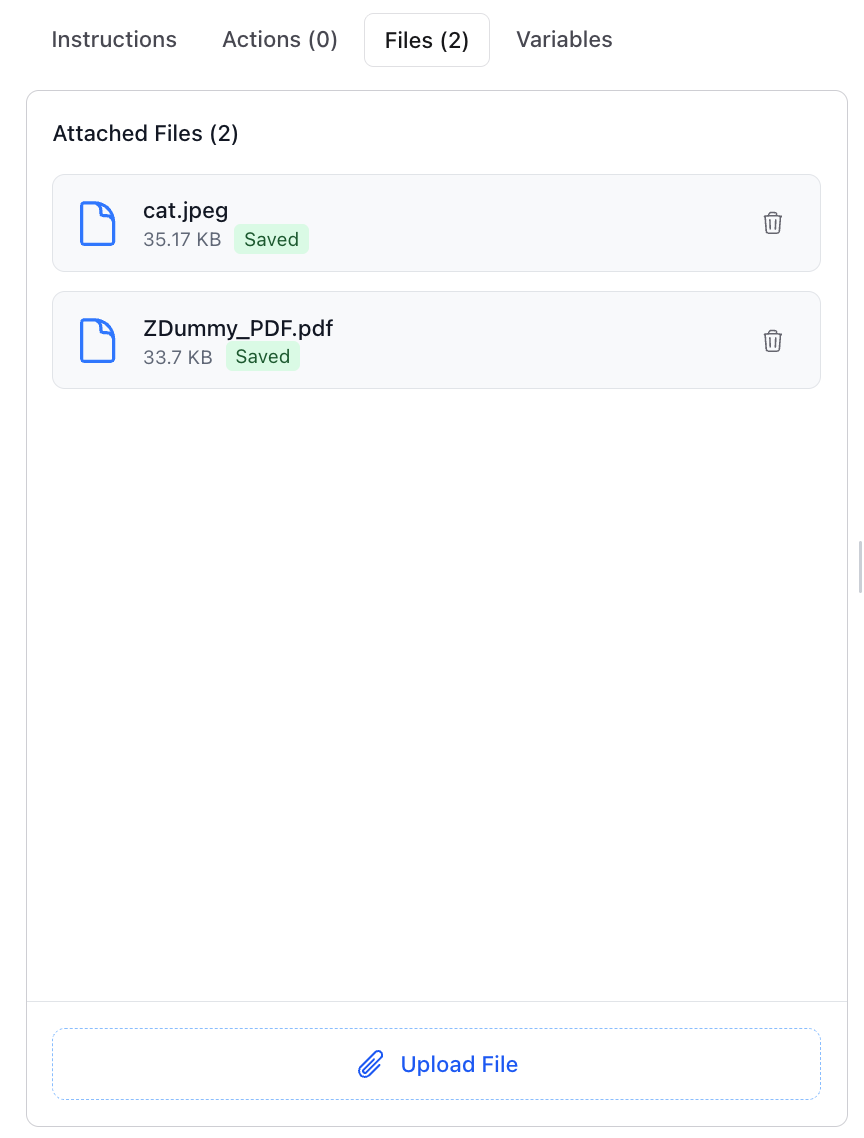 You can upload multiple files as shown in the Files tab above. Each file appears with its filename and can be individually managed.
To use a specific file in your test, reference it by name: `upload "cat.jpeg" to the profile picture` or `upload "ZDummy_PDF.pdf" to the document field`. For single file uploads, simply say `upload file`.
***
### Reading Files into Context
Beyond uploading files to your application, Docket can also **read file contents into the agent's context**. This lets the agent reference information from your files when executing steps or making assertions.
Supported file types for context reading include:
| Category | Extensions |
| --------------- | ----------------------------------------------------------------------------------------------------------- |
| **Images** | `.png`, `.jpg`, `.jpeg`, `.gif`, `.bmp`, `.webp` |
| **Text & Code** | `.txt`, `.md`, `.json`, `.xml`, `.html`, `.css`, `.js`, `.py`, `.java`, `.c`, `.cpp`, `.ts`, `.tsx`, `.jsx` |
| **Config** | `.yml`, `.yaml`, `.toml`, `.ini`, `.cfg`, `.conf` |
| **Documents** | `.csv`, `.pdf`, `.docx`, `.doc` |
Files with unsupported extensions can still be uploaded to your application during a test, but their contents won't be available to the agent for context.
#### Per-Step File Attachments
You can attach specific files to individual steps by clicking the **gear icon** on any step. This scopes which files the agent can reference during that step's execution, keeping context focused and relevant.
You can upload multiple files as shown in the Files tab above. Each file appears with its filename and can be individually managed.
To use a specific file in your test, reference it by name: `upload "cat.jpeg" to the profile picture` or `upload "ZDummy_PDF.pdf" to the document field`. For single file uploads, simply say `upload file`.
***
### Reading Files into Context
Beyond uploading files to your application, Docket can also **read file contents into the agent's context**. This lets the agent reference information from your files when executing steps or making assertions.
Supported file types for context reading include:
| Category | Extensions |
| --------------- | ----------------------------------------------------------------------------------------------------------- |
| **Images** | `.png`, `.jpg`, `.jpeg`, `.gif`, `.bmp`, `.webp` |
| **Text & Code** | `.txt`, `.md`, `.json`, `.xml`, `.html`, `.css`, `.js`, `.py`, `.java`, `.c`, `.cpp`, `.ts`, `.tsx`, `.jsx` |
| **Config** | `.yml`, `.yaml`, `.toml`, `.ini`, `.cfg`, `.conf` |
| **Documents** | `.csv`, `.pdf`, `.docx`, `.doc` |
Files with unsupported extensions can still be uploaded to your application during a test, but their contents won't be available to the agent for context.
#### Per-Step File Attachments
You can attach specific files to individual steps by clicking the **gear icon** on any step. This scopes which files the agent can reference during that step's execution, keeping context focused and relevant.
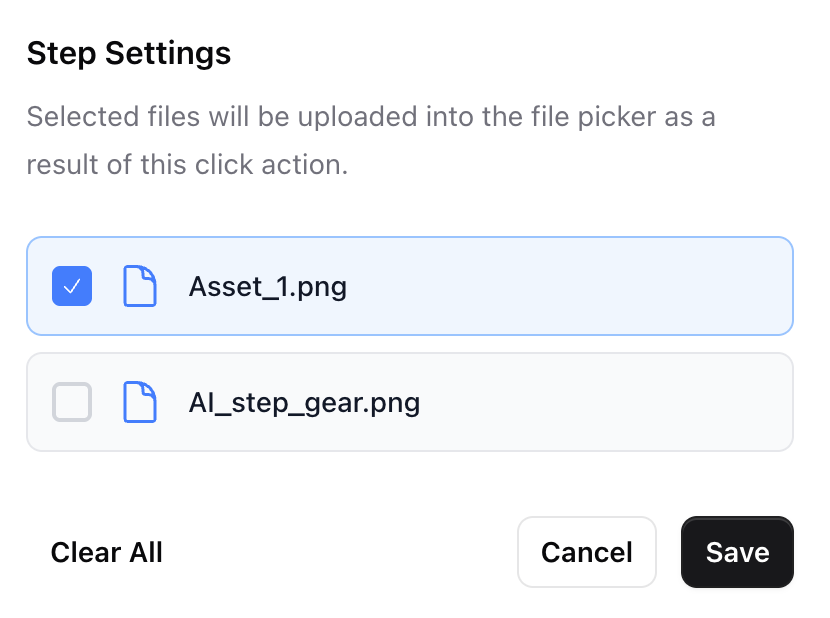 This is useful when a step needs to reference data from a specific file — for example, asserting that form values match data in an uploaded CSV, or verifying that a document's content was correctly parsed by your application.