> ## Documentation Index
> Fetch the complete documentation index at: https://docs.docketqa.com/llms.txt
> Use this file to discover all available pages before exploring further.
# Folders
> Organize your tests into a hierarchical folder structure
### Folders
Folders let you organize tests into a hierarchical structure, similar to a file system. As your test suite grows, folders help you group related tests by feature, team, or workflow.
***
### Creating a Folder
To create a folder, navigate to the Tests tab. You can create folders directly from the test list view using the folder creation option.
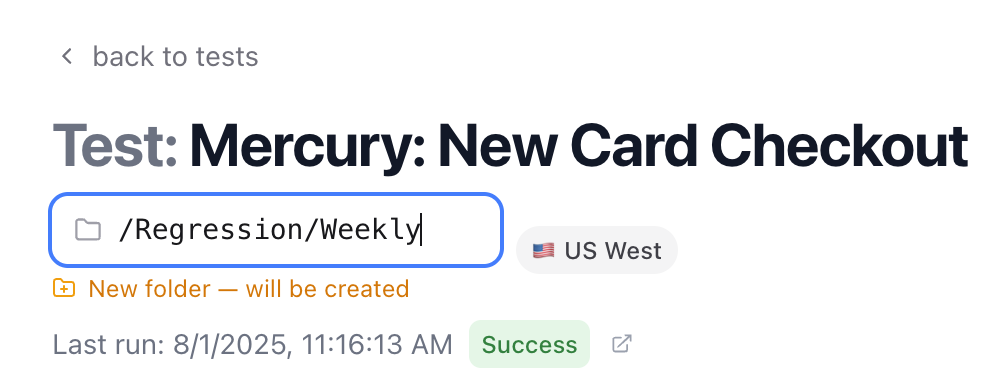 Folder names can contain letters, numbers, hyphens, underscores, and spaces. You can nest folders up to 10 levels deep.
***
### Navigating Folders
The breadcrumb bar at the top of the test list shows your current location in the folder hierarchy. Click any segment to jump to that level.
Folder names can contain letters, numbers, hyphens, underscores, and spaces. You can nest folders up to 10 levels deep.
***
### Navigating Folders
The breadcrumb bar at the top of the test list shows your current location in the folder hierarchy. Click any segment to jump to that level.
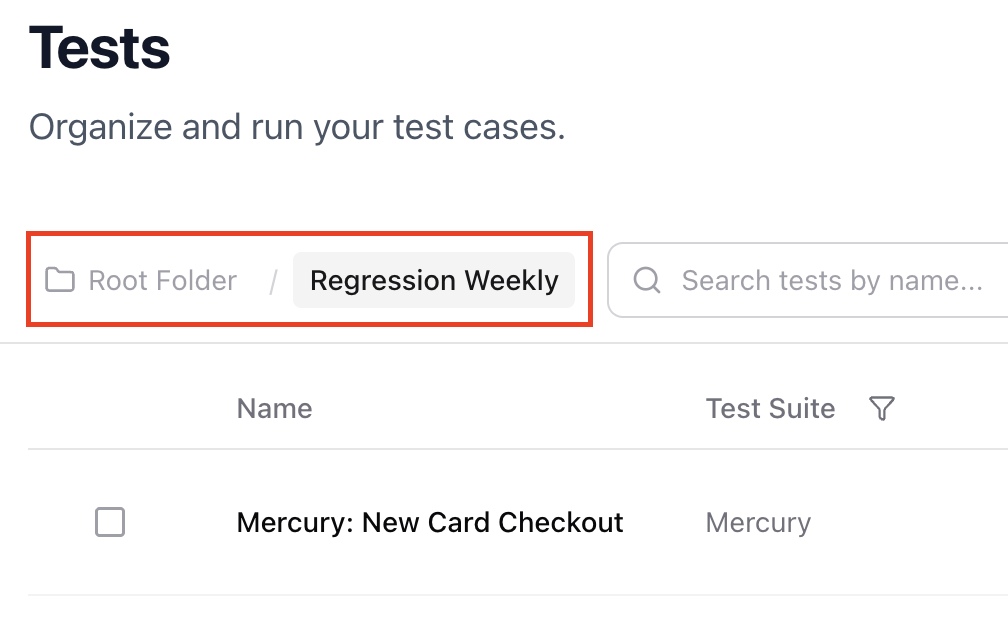 When the path gets long, intermediate segments are collapsed automatically — the root and last two segments always remain visible.
***
### Moving Tests and Folders
You can move tests between folders in two ways:
1. **Drag and drop** — Drag a test or folder row onto another folder or breadcrumb segment
2. **Modify dialog** — Use the three-dot menu on a folder to access Rename, Move, and Expand options
When the path gets long, intermediate segments are collapsed automatically — the root and last two segments always remain visible.
***
### Moving Tests and Folders
You can move tests between folders in two ways:
1. **Drag and drop** — Drag a test or folder row onto another folder or breadcrumb segment
2. **Modify dialog** — Use the three-dot menu on a folder to access Rename, Move, and Expand options
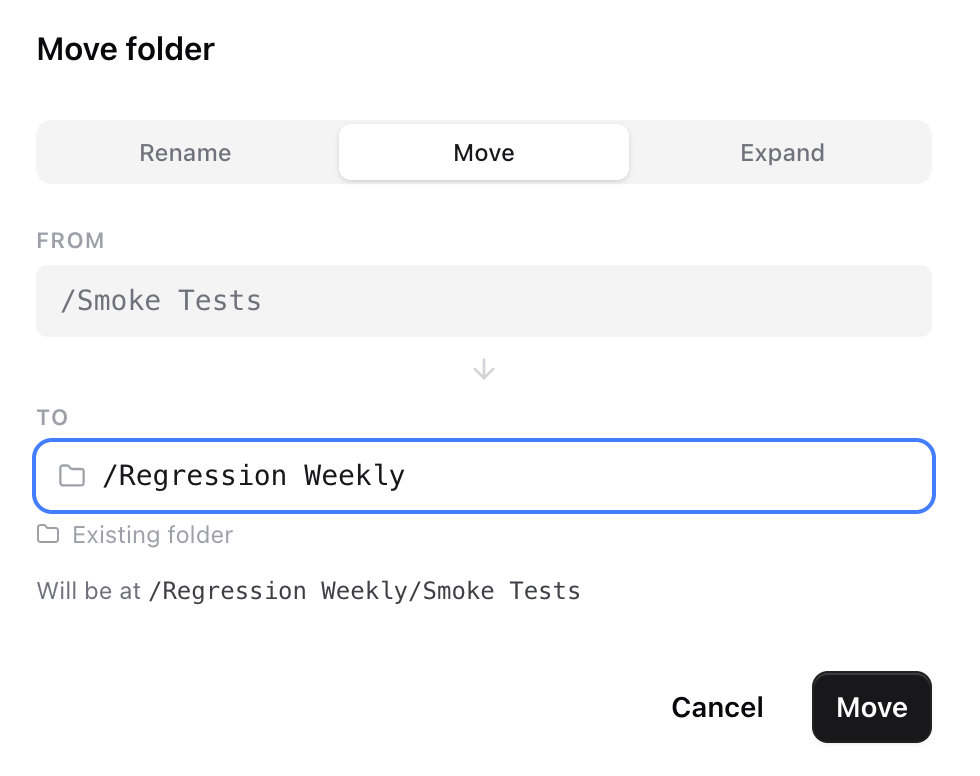 The **Expand** option dissolves a folder and moves all its contents up one level — useful for flattening your hierarchy when a folder is no longer needed.
***
### Archiving Folders
To archive a folder, click the three-dot menu and select **Archive**. This archives the folder and all tests inside it, including any subfolders.
Archived items can be restored by an admin.
***
### Folders and Bulk Create
When you [bulk create tests](/essentials/bulk-create) or [generate tests with AI](/essentials/generate-tests), the new tests are placed in the folder you're currently viewing. Navigate to the desired folder before starting a bulk create operation to keep things organized.
The **Expand** option dissolves a folder and moves all its contents up one level — useful for flattening your hierarchy when a folder is no longer needed.
***
### Archiving Folders
To archive a folder, click the three-dot menu and select **Archive**. This archives the folder and all tests inside it, including any subfolders.
Archived items can be restored by an admin.
***
### Folders and Bulk Create
When you [bulk create tests](/essentials/bulk-create) or [generate tests with AI](/essentials/generate-tests), the new tests are placed in the folder you're currently viewing. Navigate to the desired folder before starting a bulk create operation to keep things organized.