> ## Documentation Index
> Fetch the complete documentation index at: https://docs.docketqa.com/llms.txt
> Use this file to discover all available pages before exploring further.
# Generate Tests
> Use AI to generate test cases from PRDs, screenshots, and documentation
### Generate Tests with AI
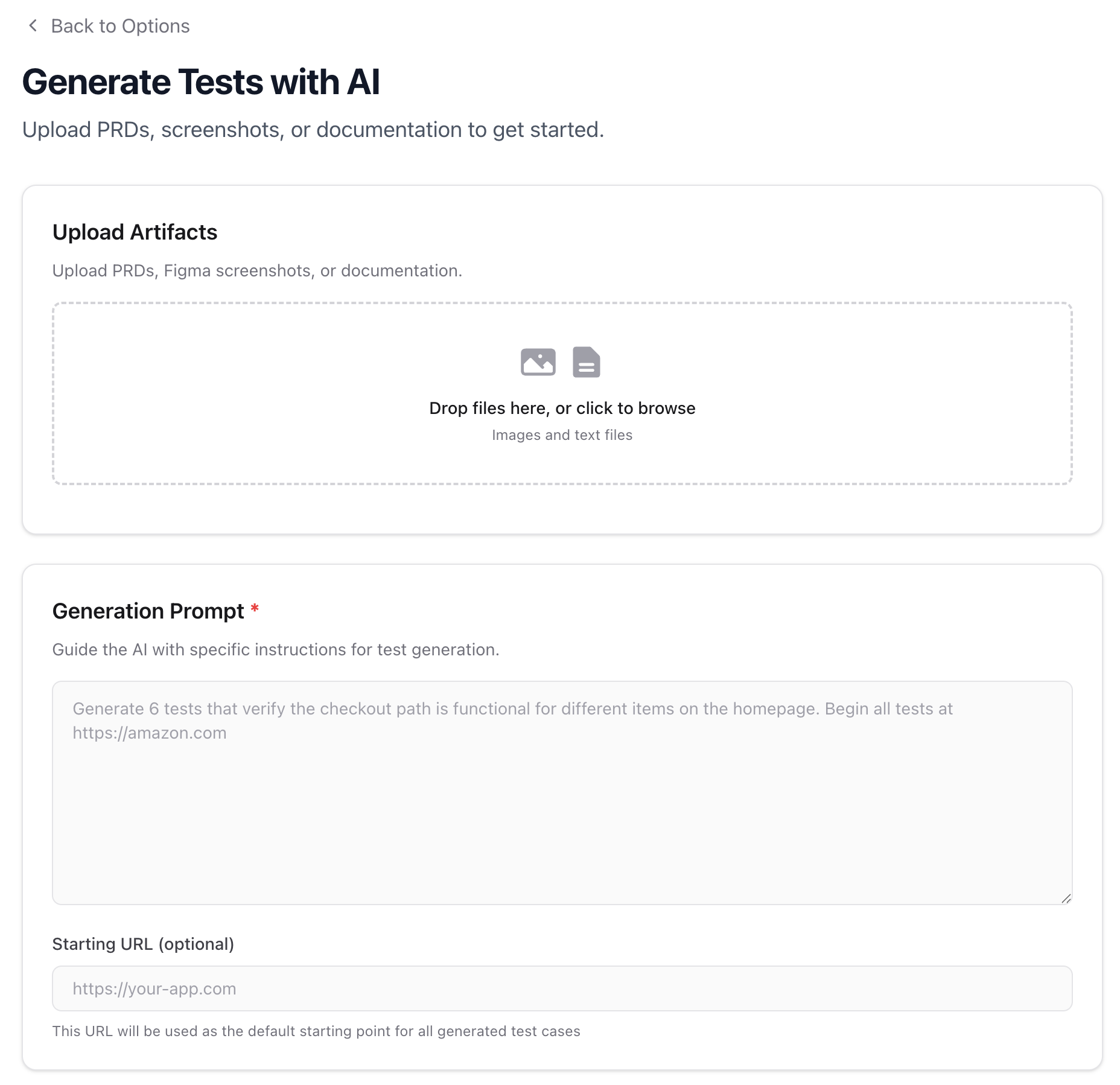
Docket can generate test cases from your existing artifacts — PRDs, Figma screenshots, documentation, or any descriptive text. Describe what you want tested, upload supporting materials, and Docket's AI will produce structured test cases ready for review and creation.
***
### Getting Started
Navigate to the Tests tab and click **Create Multiple Tests**, then select **Generate Tests**.
You can also access this from the [Bulk Create](/essentials/bulk-create) flow by choosing the generation option.
***
### Uploading Artifacts
Upload the materials you want Docket to analyze. These serve as context for the AI when generating test cases.
**Supported formats:** Images (`.png`, `.jpg`, `.jpeg`, `.gif`, `.webp`), text files (`.txt`, `.md`), documents (`.pdf`, `.doc`, `.docx`)
Common artifacts include:
* Product requirement documents (PRDs)
* Figma screenshots or design mockups
* Feature specifications
* User flow diagrams
 ***
### Writing a Generation Prompt
The **Generation Prompt** is required and tells the AI what kind of tests to generate. Be specific about the flows, edge cases, and coverage you need.
**Good prompts:**
* "Generate 6 tests that verify the checkout path is functional, including adding items, applying a coupon, and completing payment"
* "Create tests for the user registration flow covering: successful signup, password validation, duplicate email handling, and email verification"
* "Generate tests for the settings page covering profile updates, password changes, and notification preferences"
**Weak prompts:**
* "Test everything" (too broad)
* "Generate some tests" (no direction)
You can optionally provide a **Starting URL** — this URL will be used as the default entry point for all generated tests.
***
### Reviewing Generated Tests
After generation, you'll see a list of test cases. You can toggle between the **Test Cases** view and the **Raw Output** to inspect what the AI produced.
***
### Writing a Generation Prompt
The **Generation Prompt** is required and tells the AI what kind of tests to generate. Be specific about the flows, edge cases, and coverage you need.
**Good prompts:**
* "Generate 6 tests that verify the checkout path is functional, including adding items, applying a coupon, and completing payment"
* "Create tests for the user registration flow covering: successful signup, password validation, duplicate email handling, and email verification"
* "Generate tests for the settings page covering profile updates, password changes, and notification preferences"
**Weak prompts:**
* "Test everything" (too broad)
* "Generate some tests" (no direction)
You can optionally provide a **Starting URL** — this URL will be used as the default entry point for all generated tests.
***
### Reviewing Generated Tests
After generation, you'll see a list of test cases. You can toggle between the **Test Cases** view and the **Raw Output** to inspect what the AI produced.
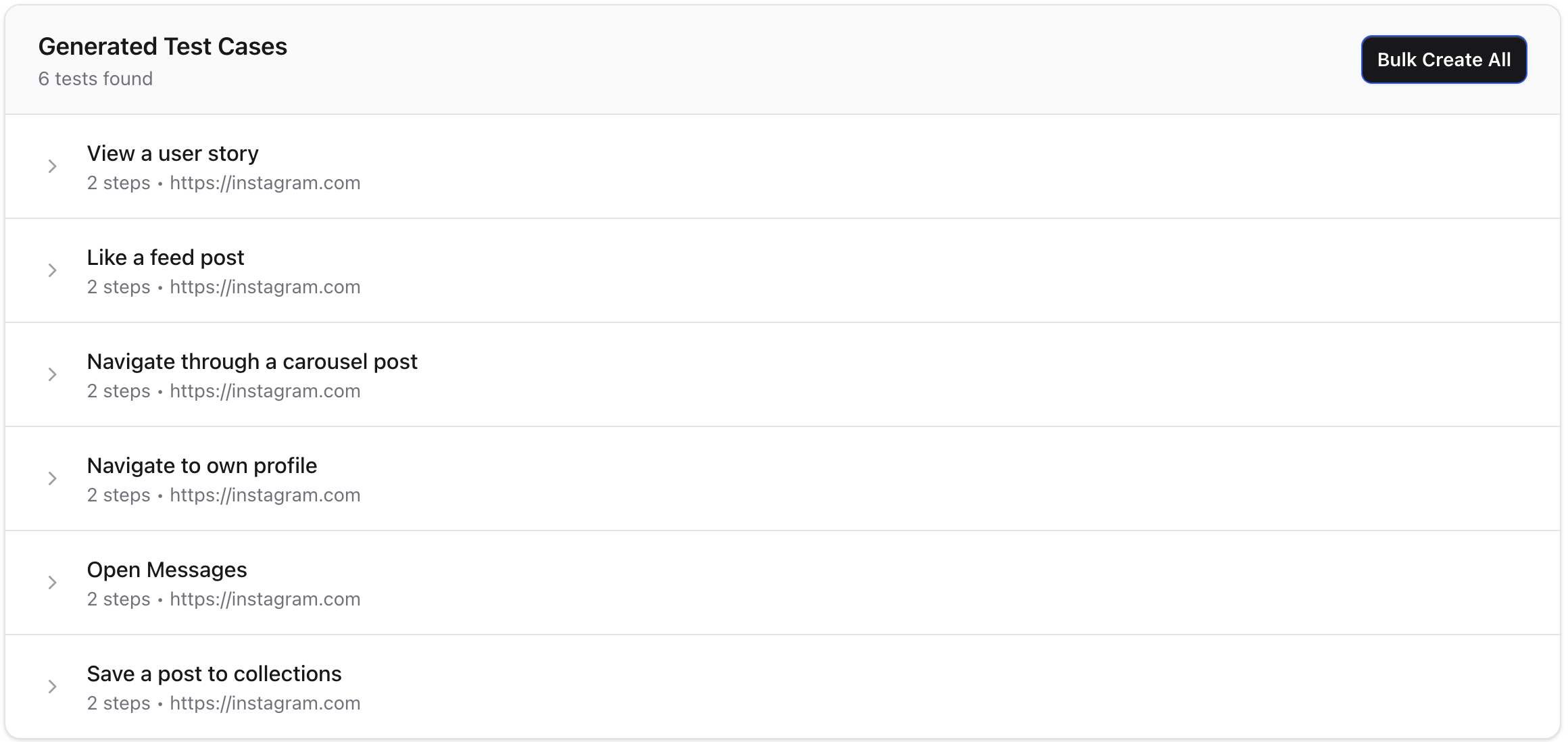
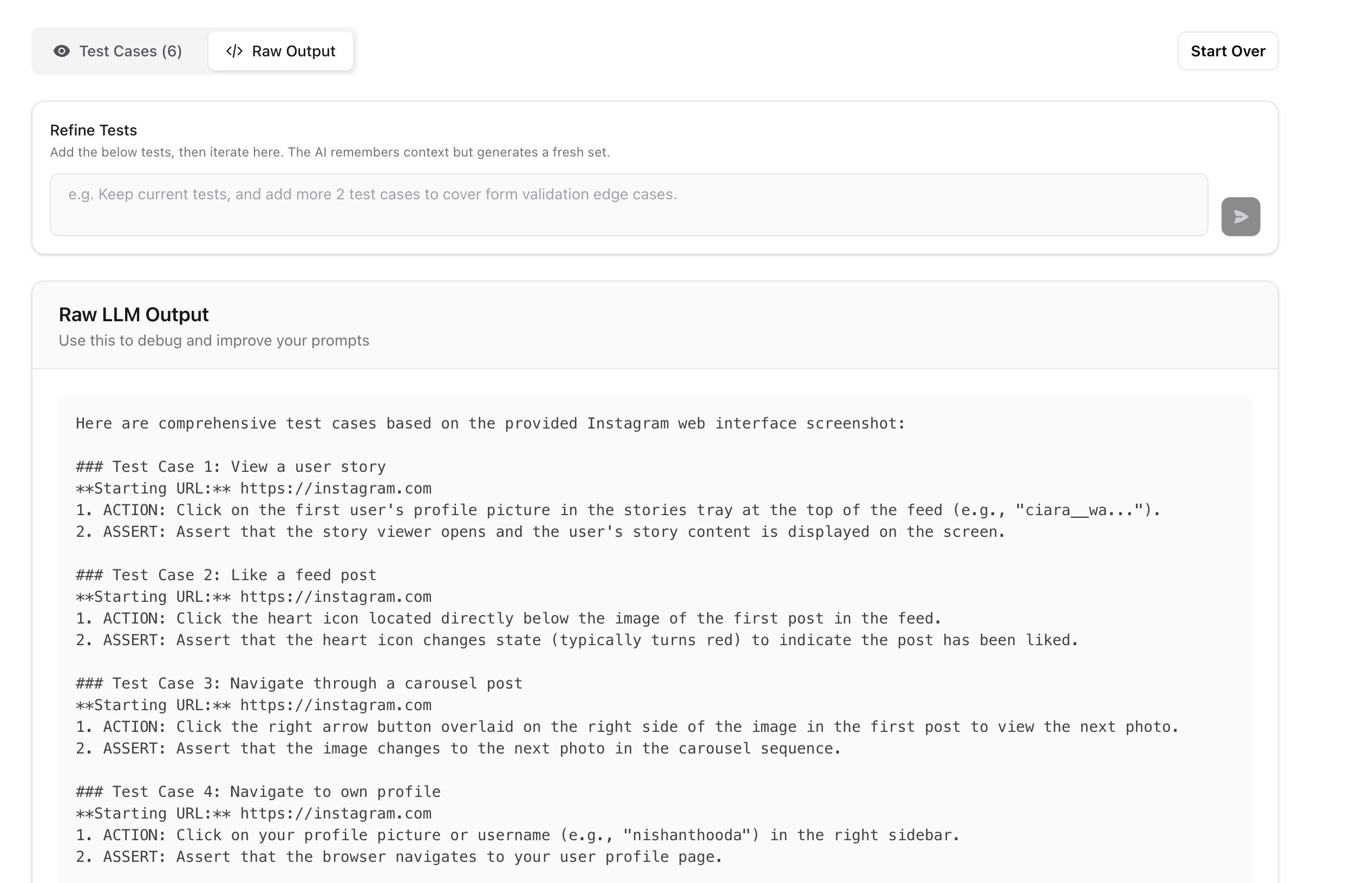 Each generated test case includes a title, steps, and a starting URL. You can delete individual test cases you don't need before creating them.
***
### Iterating on Results
The AI retains context from previous generations, so you can refine results through follow-up prompts.
Use the **Refine Tests** input to iterate:
* "Add 2 more tests covering form validation edge cases"
* "Make the login tests more explicit about error states"
* "Remove the mobile tests and add desktop-only scenarios"
Each iteration produces a **fresh set** of tests informed by the prior context — it doesn't modify previously generated tests in place.
***
### Creating Tests from Results
Once you're satisfied with the generated test cases, you can:
* **Bulk Create All** — Create all tests at once with shared settings (test suite, viewport, browser zoom)
* **Create Test** — Create a single test and open it in the editor for further refinement
Generated tests are created as drafts in the [folder](/essentials/folders) you were viewing when you started the process.
> **Tip**: Generated tests are a starting point. After creation, open individual tests to fine-tune steps, add [recorded steps](/essentials/recorded-steps), or adjust [variables](/essentials/test-creation#test-variables).
Each generated test case includes a title, steps, and a starting URL. You can delete individual test cases you don't need before creating them.
***
### Iterating on Results
The AI retains context from previous generations, so you can refine results through follow-up prompts.
Use the **Refine Tests** input to iterate:
* "Add 2 more tests covering form validation edge cases"
* "Make the login tests more explicit about error states"
* "Remove the mobile tests and add desktop-only scenarios"
Each iteration produces a **fresh set** of tests informed by the prior context — it doesn't modify previously generated tests in place.
***
### Creating Tests from Results
Once you're satisfied with the generated test cases, you can:
* **Bulk Create All** — Create all tests at once with shared settings (test suite, viewport, browser zoom)
* **Create Test** — Create a single test and open it in the editor for further refinement
Generated tests are created as drafts in the [folder](/essentials/folders) you were viewing when you started the process.
> **Tip**: Generated tests are a starting point. After creation, open individual tests to fine-tune steps, add [recorded steps](/essentials/recorded-steps), or adjust [variables](/essentials/test-creation#test-variables).