> ## Documentation Index
> Fetch the complete documentation index at: https://docs.docketqa.com/llms.txt
> Use this file to discover all available pages before exploring further.
# Failure Notifications
> Receiving notifications about test failures on Docket
### Configuring notifications
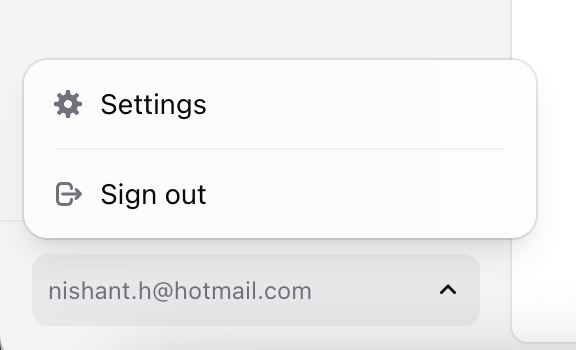
To access the notification configuration menu, open the Settings menu which you can access by clicking the user profile menu in the bottom left corner of the Docket dashboard.
 ### Slack Failures
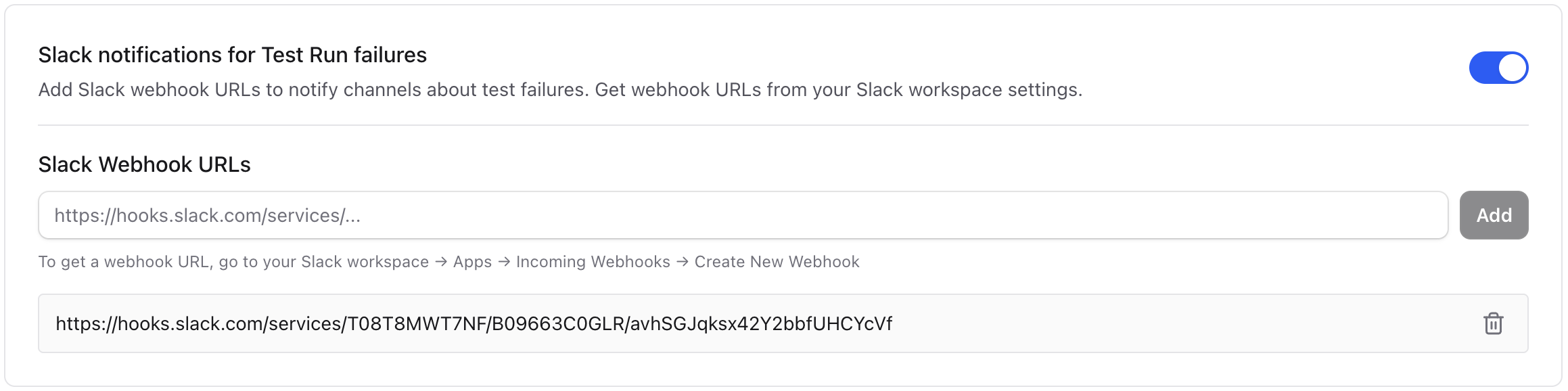
You can configure to be notified in Slack when a test fails by configuring an incoming webhook.
To set up a Slack webhook, head over to [https://api.slack.com/apps](https://api.slack.com/apps):
1. Click "Create New App."
2. Choose "From scratch."
3. Give it a name (e.g., "Docket Notifications") and select your Slack workspace.
4. In the left sidebar, go to "Incoming Webhooks."
5. Toggle the switch "Activate Incoming Webhooks" → ON.
6. Scroll down and click "Add New Webhook to Workspace."
7. Pick a channel to send them to and paste the provided webhook link in Docket.
### Slack Failures
You can configure to be notified in Slack when a test fails by configuring an incoming webhook.
To set up a Slack webhook, head over to [https://api.slack.com/apps](https://api.slack.com/apps):
1. Click "Create New App."
2. Choose "From scratch."
3. Give it a name (e.g., "Docket Notifications") and select your Slack workspace.
4. In the left sidebar, go to "Incoming Webhooks."
5. Toggle the switch "Activate Incoming Webhooks" → ON.
6. Scroll down and click "Add New Webhook to Workspace."
7. Pick a channel to send them to and paste the provided webhook link in Docket.
 ### Email Failures
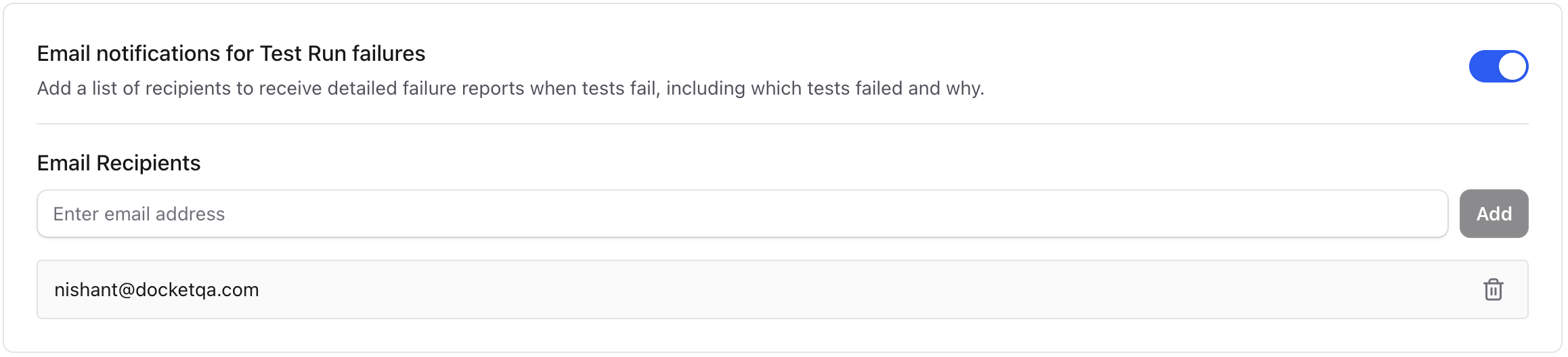
You can configure to be notified via email when a test fails by configuring the inbox you want to receive failures in.
### Email Failures
You can configure to be notified via email when a test fails by configuring the inbox you want to receive failures in.
 ### Webhook Notifications
You can configure webhooks to receive real-time notifications about test failures and other test events. Webhooks are ideal for integrating Docket with your own systems, triggering custom workflows, or sending notifications to tools beyond Slack and email.
> **Learn more**: See [Webhooks](/essentials/webhooks) for detailed setup instructions, payload schemas, and security verification.
### Webhook Notifications
You can configure webhooks to receive real-time notifications about test failures and other test events. Webhooks are ideal for integrating Docket with your own systems, triggering custom workflows, or sending notifications to tools beyond Slack and email.
> **Learn more**: See [Webhooks](/essentials/webhooks) for detailed setup instructions, payload schemas, and security verification.