> ## Documentation Index
> Fetch the complete documentation index at: https://docs.docketqa.com/llms.txt
> Use this file to discover all available pages before exploring further.
# Triggering Tests
> Different ways to trigger test runs on Docket
### Overview
Beyond [manual runs and scheduling](/essentials/running-test), Docket provides several ways to trigger tests programmatically or chain tests together.
***
### API Trigger
You can trigger test runs via the Docket API. This is useful for integrating Docket into custom workflows, deployment scripts, or automation pipelines outside of GitHub Actions.
**Trigger a test suite:**
```bash theme={null}
curl -X POST https://api.docketqa.com/test_group_run/trigger_run \
-H "Authorization: Bearer YOUR_API_KEY" \
-H "Content-Type: application/json" \
-d '{"test_blueprint_category_id": "SUITE_ID"}'
```
**Trigger specific tests by ID:**
```bash theme={null}
curl -X POST https://api.docketqa.com/test_group_run/trigger_run \
-H "Authorization: Bearer YOUR_API_KEY" \
-H "Content-Type: application/json" \
-d '{"test_blueprint_ids": [1, 2, 3]}'
```
You can find your API key on the CI/CD page in the Docket dashboard.
For GitHub-based CI/CD workflows, see the [CI Integration](/essentials/ci-integration) guide.
***
### Trigger Run Step (Test Chaining)
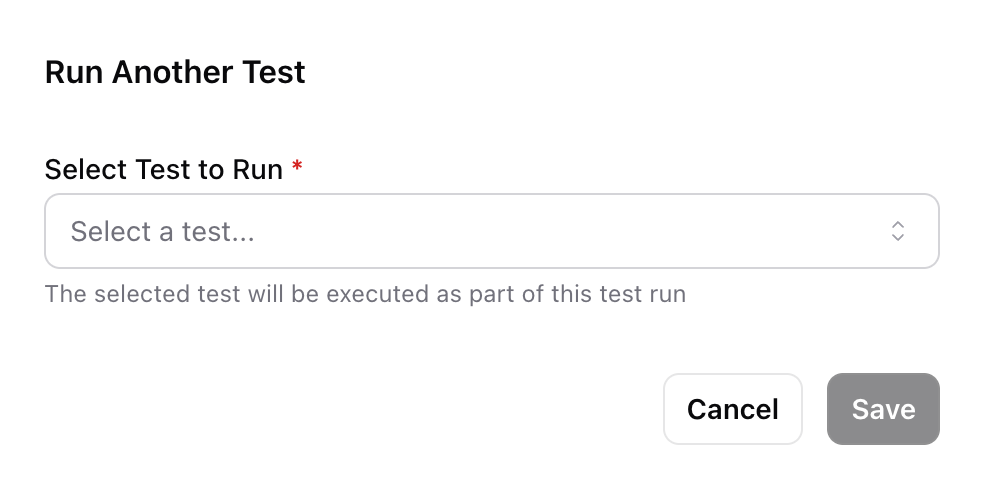
A **Trigger Run** step lets you execute another test as part of the current test flow. This is useful for composing complex end-to-end scenarios from smaller, reusable tests.
To add a trigger run step:
1. Click **Add Step** in the test editor
2. Select **Trigger Run**
3. Choose the target test to execute
 #### Variable Mappings
When triggering another test, you can map variables from the current test to the target test's variables. This lets you pass data between tests — for example, passing a generated user ID from a registration test into a login test.
#### Variable Mappings
When triggering another test, you can map variables from the current test to the target test's variables. This lets you pass data between tests — for example, passing a generated user ID from a registration test into a login test.
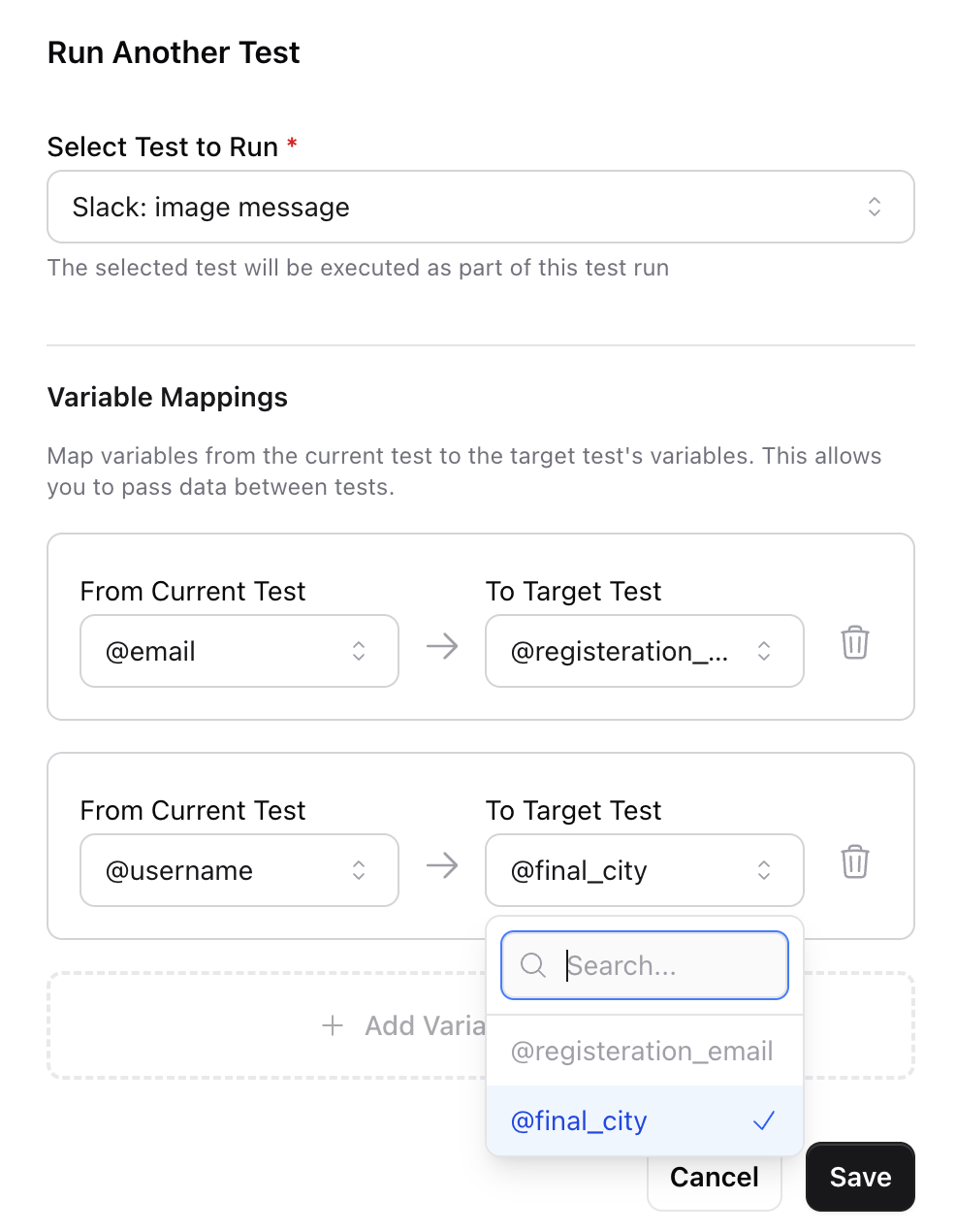 Each mapping connects a **source variable** (from the current test) to a **target variable** (in the triggered test). Email variables in the target test require email variable sources.
***
### Suite Run Behavior
Individual tests can be configured to require an explicit trigger rather than running as part of a suite. This is configured in the test's [Advanced Settings](/essentials/test-creation#advanced-test-configuration):
* **Always Run** (default) — The test runs whenever its parent suite is triggered
* **Require Individual Trigger** — The test is skipped during suite runs and must be triggered on its own
Tests marked as "Require Individual Trigger" display an orange badge in the test list. They can still be triggered individually via the play button, the API, or as a target of a Trigger Run step.
Each mapping connects a **source variable** (from the current test) to a **target variable** (in the triggered test). Email variables in the target test require email variable sources.
***
### Suite Run Behavior
Individual tests can be configured to require an explicit trigger rather than running as part of a suite. This is configured in the test's [Advanced Settings](/essentials/test-creation#advanced-test-configuration):
* **Always Run** (default) — The test runs whenever its parent suite is triggered
* **Require Individual Trigger** — The test is skipped during suite runs and must be triggered on its own
Tests marked as "Require Individual Trigger" display an orange badge in the test list. They can still be triggered individually via the play button, the API, or as a target of a Trigger Run step.