
Overview
The Docket Tunnel lets you run tests against your local development environment—across Web, iOS, and Android—without exposing it to the public internet. Only your authenticated Docket account can access the proxied services. If your laptop can hit it, Docket can test it.Install the CLI
Download and install the Docket CLI from our official distribution:Tip: Add the export line to your shell profile (~/.bashrc,~/.zshrc, etc.) to make it permanent.
Authenticate
Link the CLI to your Docket account. This account will be the only one with access to services exposed over the tunnel:Start the Tunnel
Start the tunnel to automatically proxy traffic to your local services:- Your local services are accessible from within your authenticated Docket account
- Resources are not accessible from the public internet or any other Docket account
- Press
Ctrl+Cto stop the tunnel
Pointing Tests at Your Tunnel
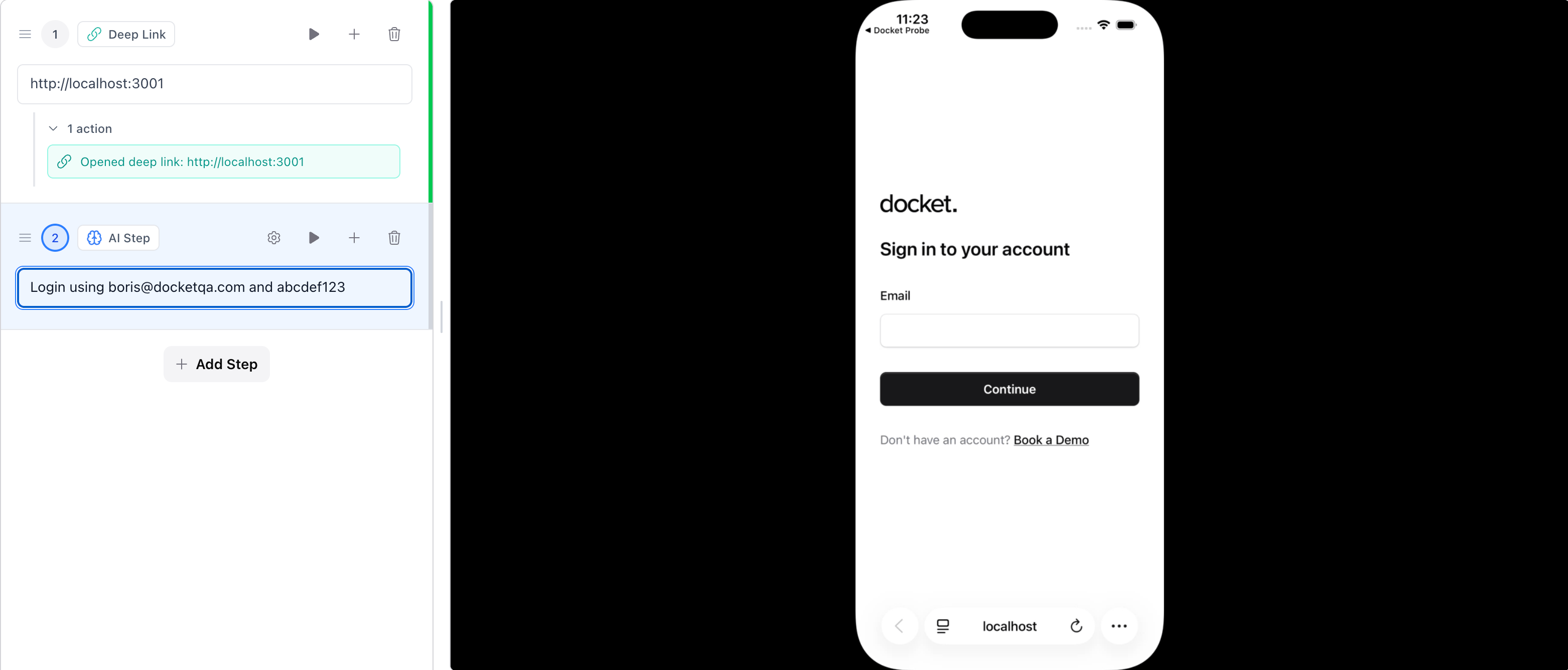
- Web: set the test’s URL to your local address (e.g.
http://localhost:3000). - iOS / Android: apps that already talk to a private host just work. To jump to a private web app, use a Deep Link step.